Set up Famstarz, step by step
Keep this page open on your laptop and your phone in your hand. Each step shows the screen you'll see in the app and what to tap. It takes about ten minutes, and you can stop and come back: this page remembers where you got to.
Get the app and create an account
- Famstarz is in testing. When your testing slot is ready, we send you the link to put the app on your phone.
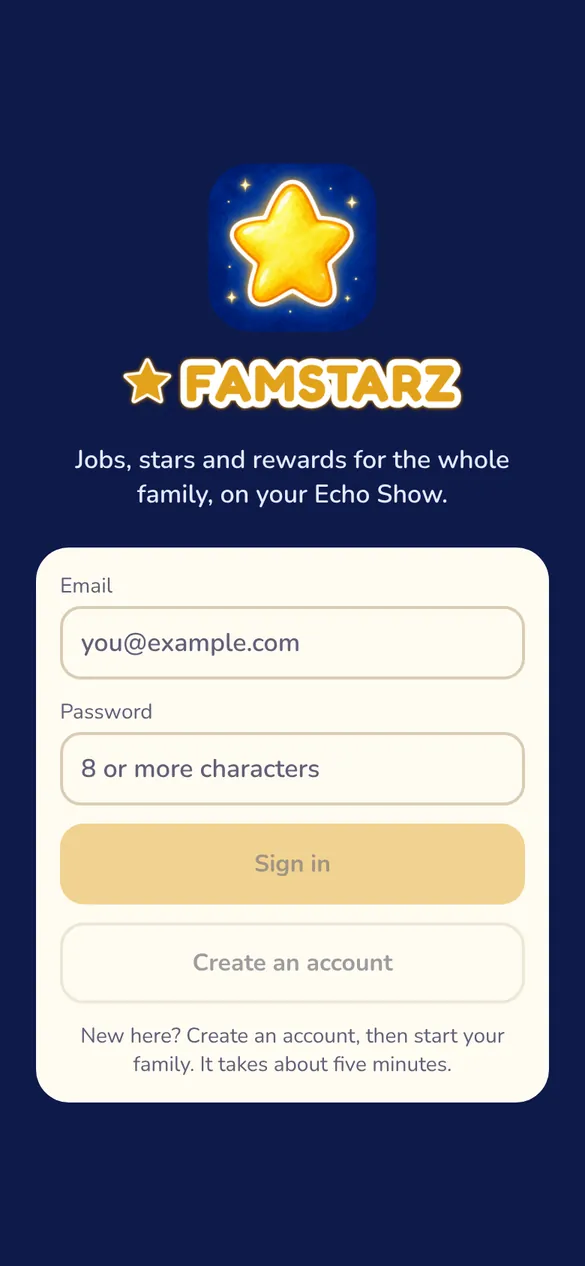
- Open the app and tap Create an account.
- Type your email and a password of 8 or more characters.
No testing slot yet? Ask for one here, and we'll be in touch.
Start your family
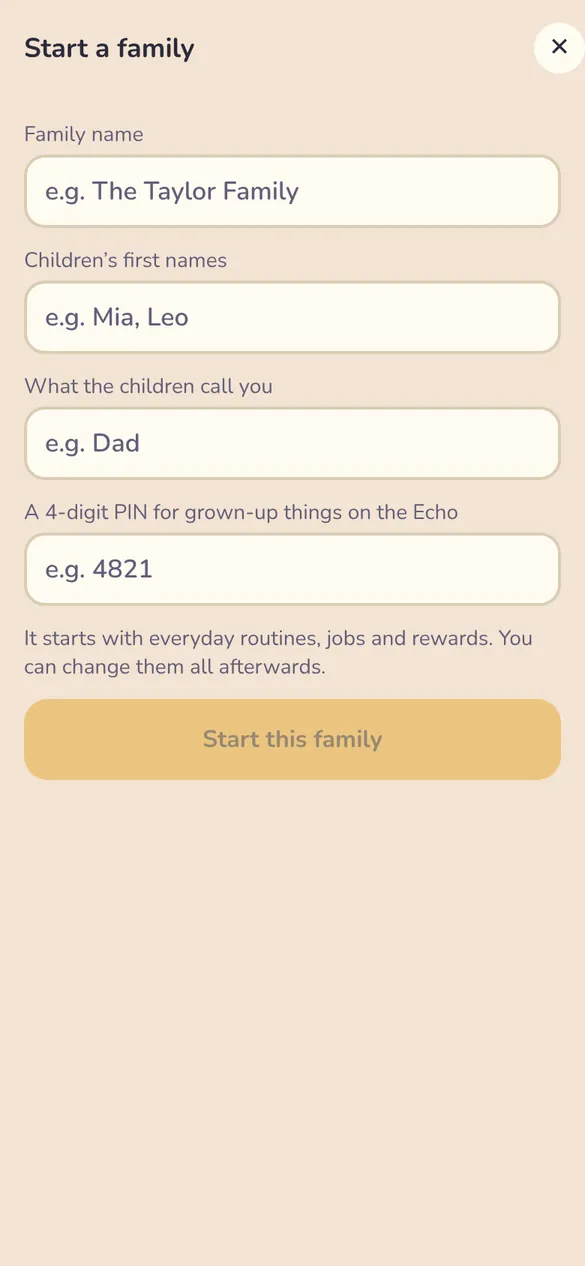
- Type your family's name, like "The Taylor Family".
- Add your children's first names, with a comma between them: "Mia, Leo".
- Type what the children call you, like "Dad" or "Mum".
- Choose a 4-digit PIN. The Echo asks for it before grown-up things, like spending points, unless it recognises a parent's voice.
- Tap Start this family.
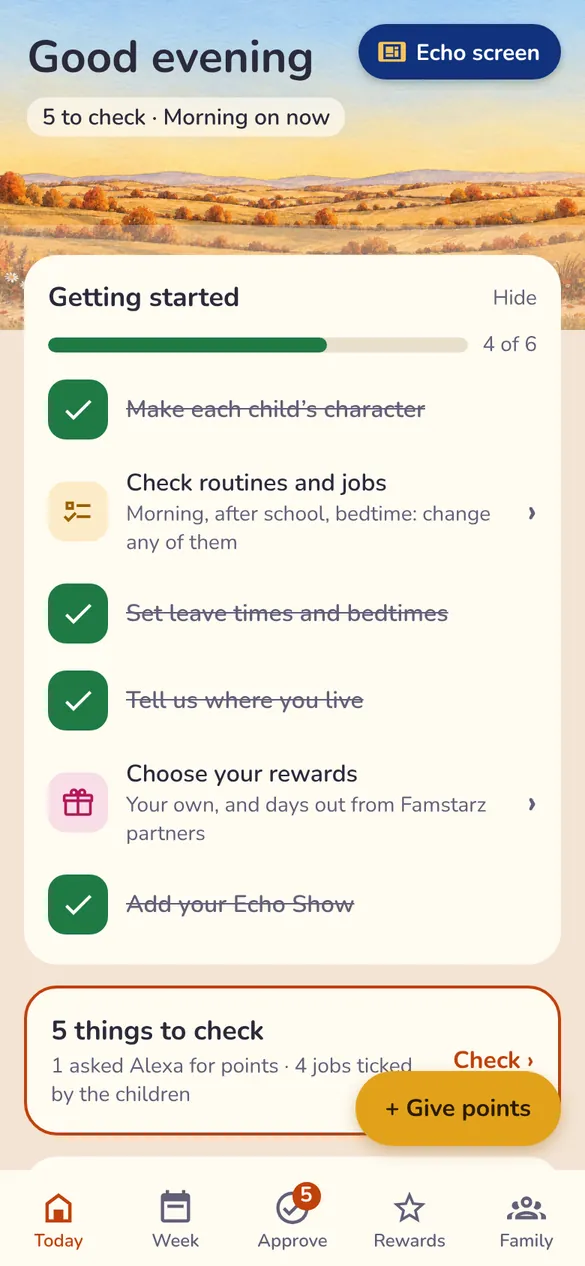
You're not starting from nothing. Famstarz fills in everyday routines, jobs and rewards for you, and you can change them all. The Today screen shows a Getting started list in the same order as this guide.
Make each child's character
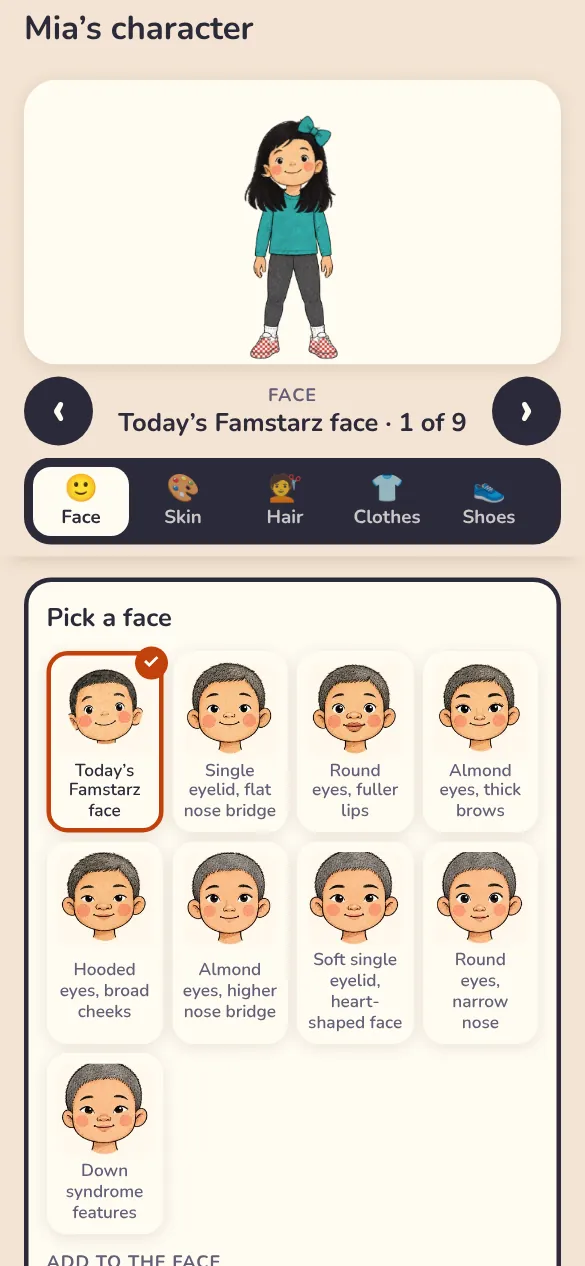
- Tap Family at the bottom of the screen, then tap a child.
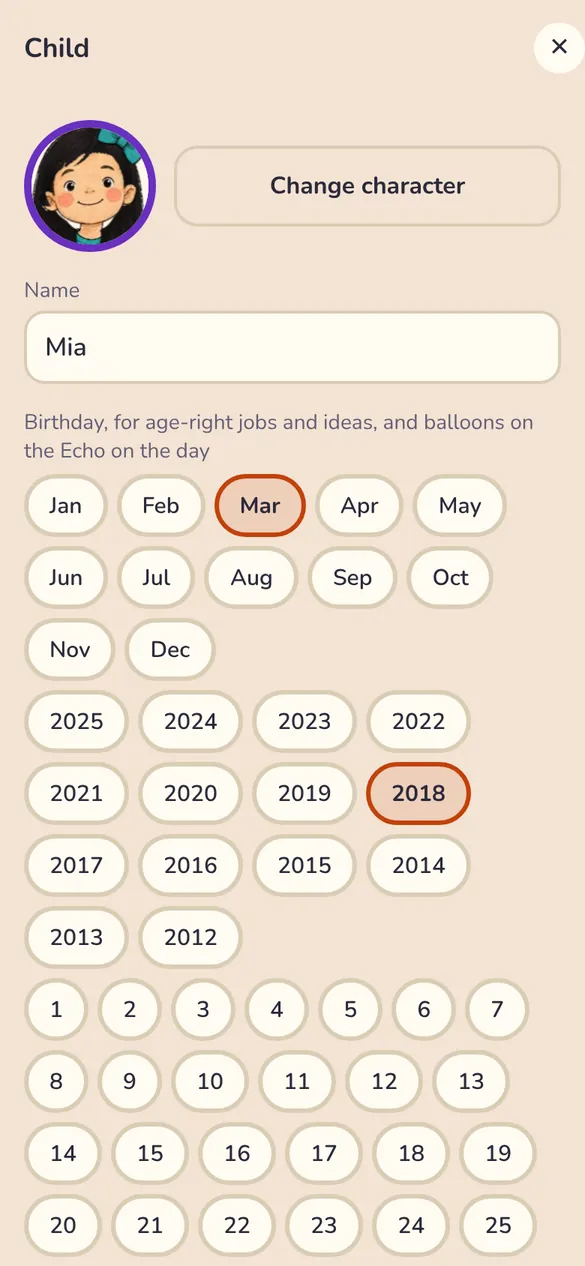
- Tap Change character.
- Choose their face, skin, hair, clothes and shoes. The character changes as you go.
- Save it, then do the same for each child.
A good one to do together. Children love choosing their own hair and clothes. While you're there, add their birthday month and year, for jobs that suit their age and balloons on the Echo on the day.
Check the routines and jobs
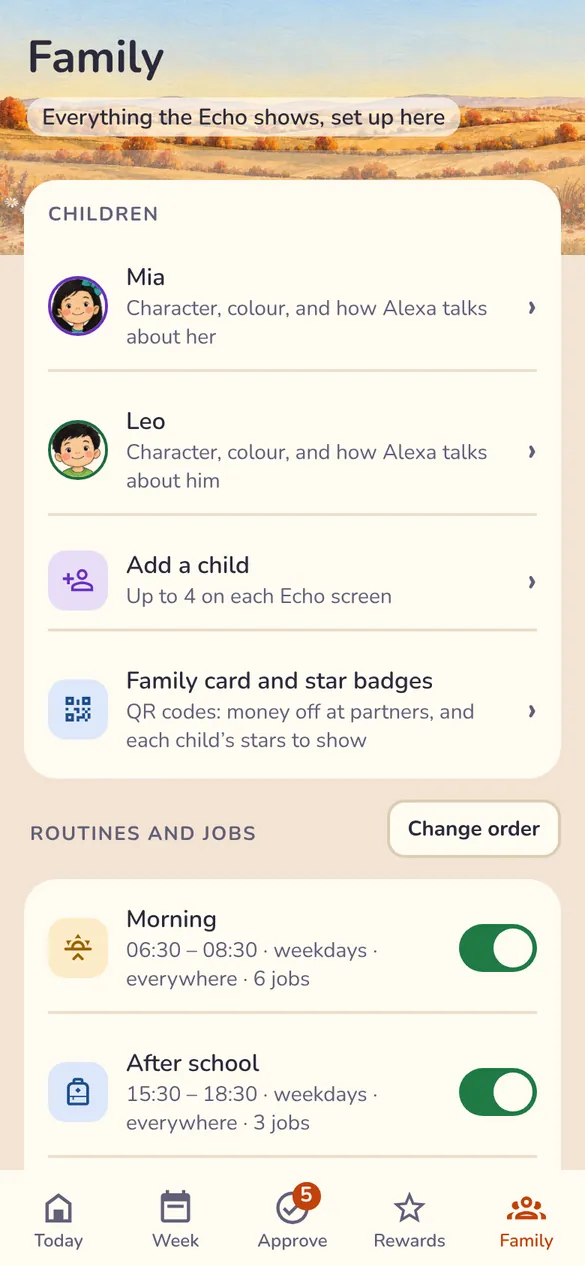
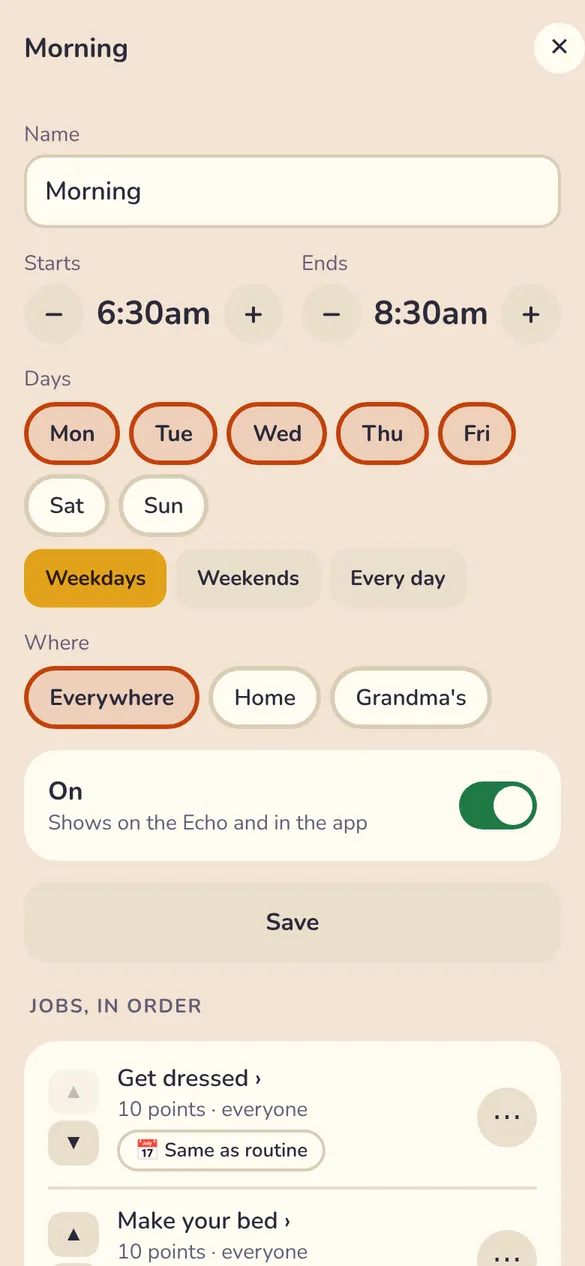
- In Family, under Routines and jobs, tap a routine, like Morning.
- Check when it starts and ends, which days, and where it happens.
- Under "Jobs, in order", change a job, move it up or down, or add your own at the bottom.
- Tap Save. To turn a routine off, use its switch in Family.
Keep it short. Four or five jobs a routine is plenty to start with. On the Echo each job has a number, so children who can't read yet can say "Alexa, Mia, task two is done".
Leave times, pick-up and bedtimes
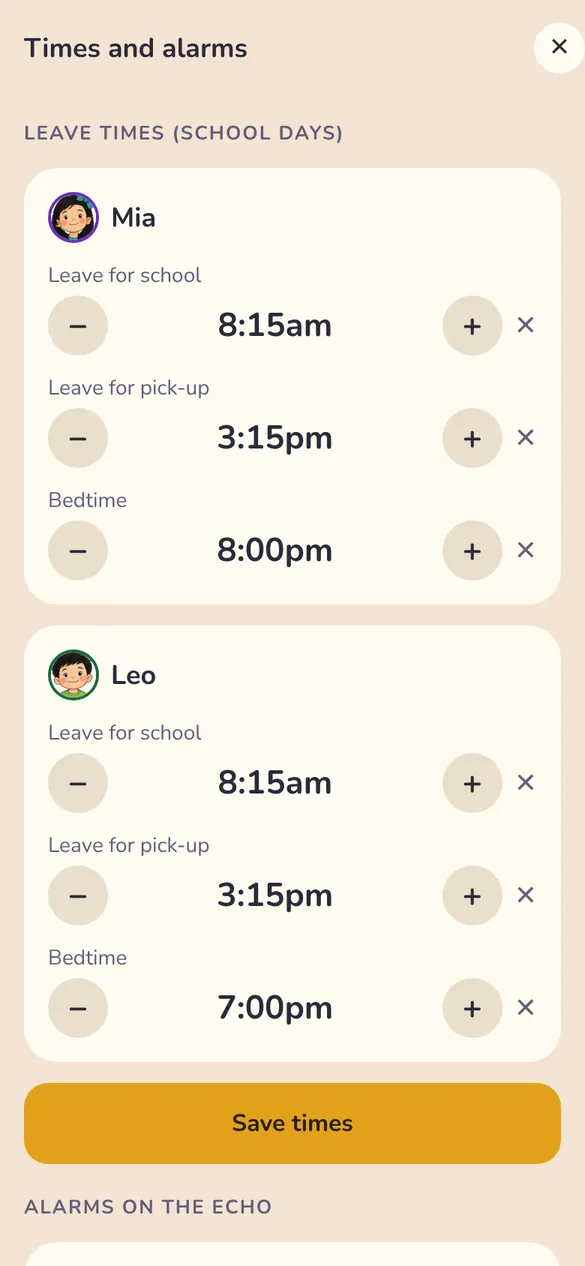
- In Family, tap Leave times, pick-up and bedtimes.
- For each child, set when they leave for school, when you leave for pick-up, and their bedtime. Use − and + to change a time.
- Tap Save times. Further down you can switch on an alarm on the Echo.
What you'll see: the Echo counts down to leaving ("leave in 10 min"). Half an hour before bed it winds down, with night colours and a rainbow timer for each child.
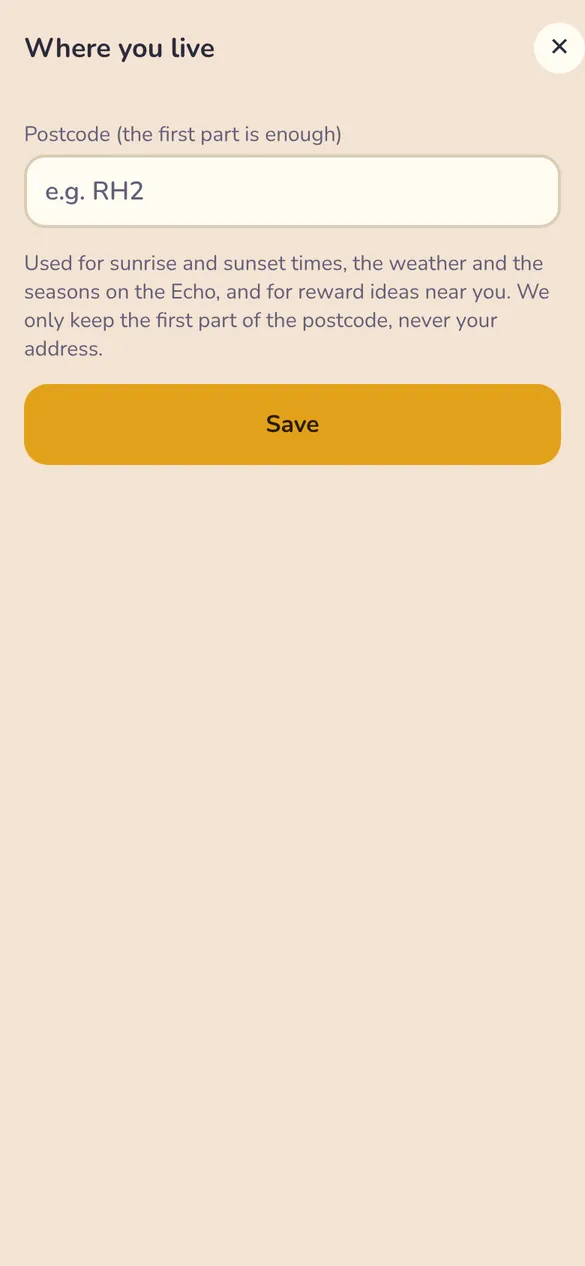
Where you live
- In Family, tap Where you live.
- Type the first part of your postcode, like SW1. That's all we need.
- Tap Save.
Why it helps: the screen follows your sunrise, sunset, weather and seasons, and reward ideas are near you. We only keep the first part of the postcode, never your address.
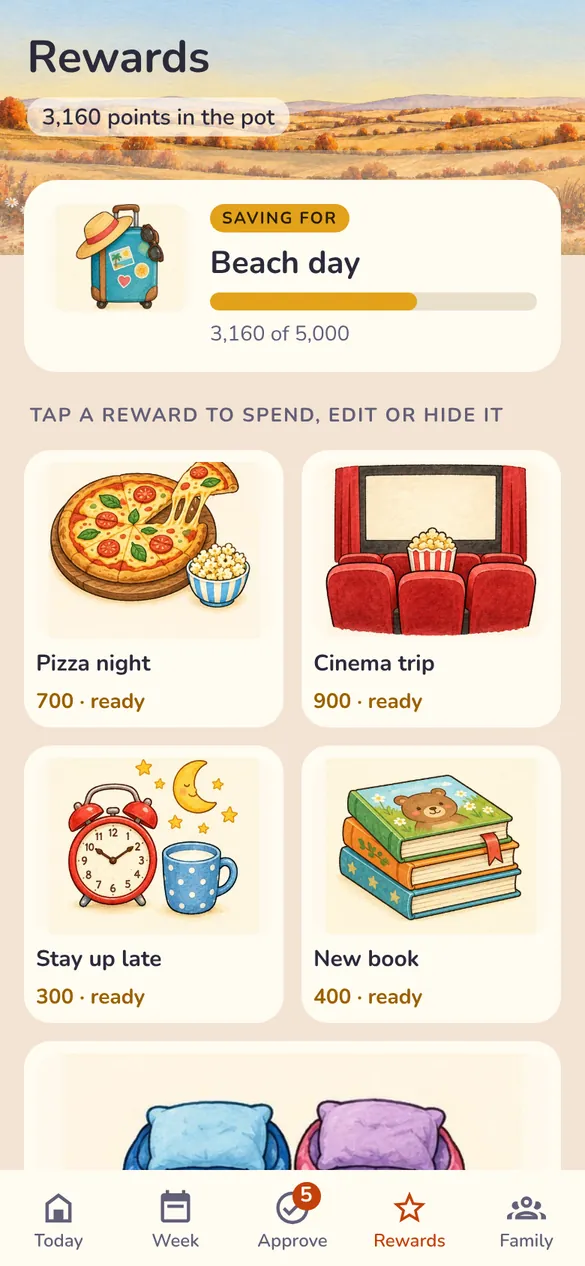
Rewards and the family goal
- Tap Rewards at the bottom of the screen.
- Tap a reward to edit its cost, hide it, or spend the points.
- Add your own at the end of the list.
- Pick one big reward and tap Make this the family goal. Everyone can see how close you are.
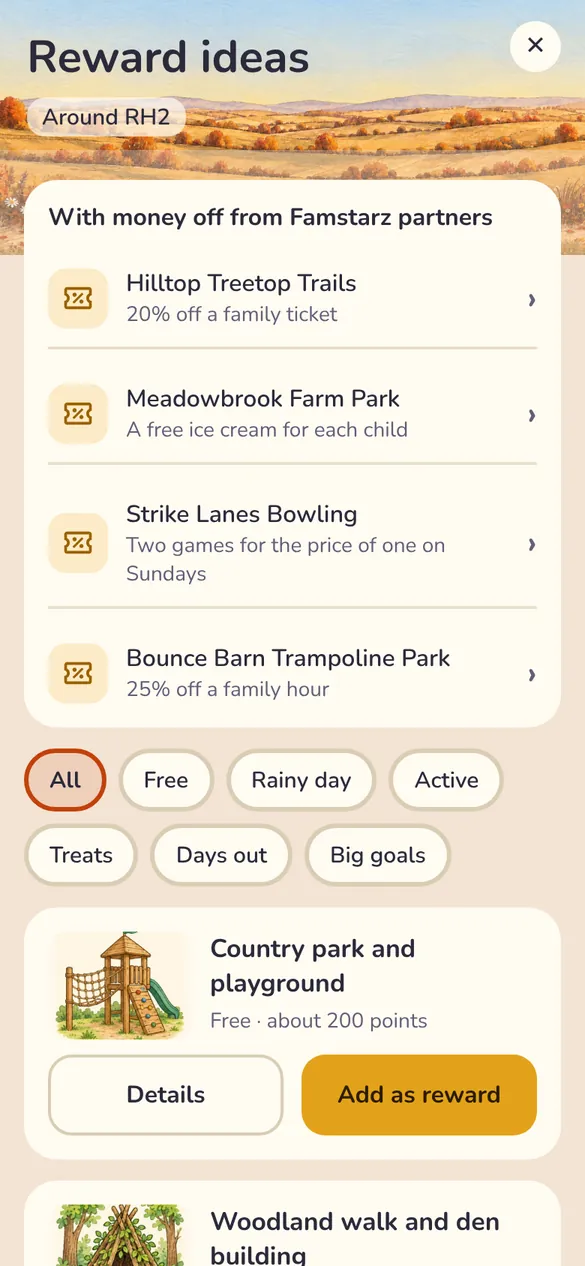
Days out: Reward ideas also shows money-off offers from Famstarz partners near you (examples while we test). Add one as a reward and the children save for it like any other.
Add your Echo Show
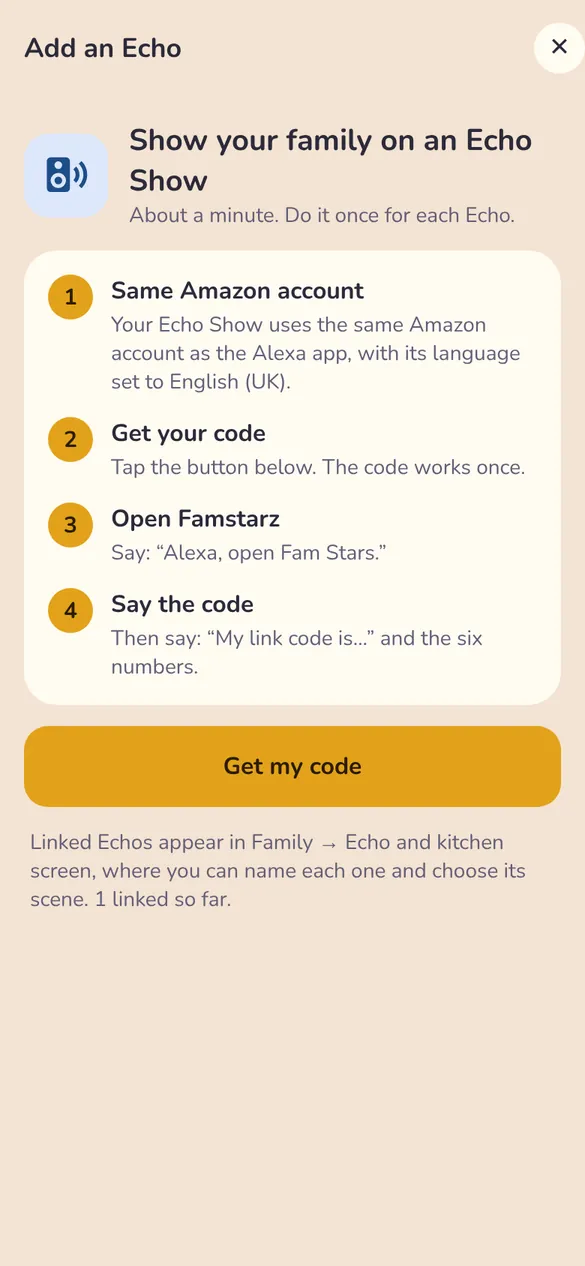
- Check your Echo Show uses the same Amazon account as your Alexa app, with its language set to English (UK).
- In Family, tap Add an Echo, then Get my code. You'll see six numbers. The code works once.
- Stand by the Echo and say:
"Alexa, open Fam Stars"
"My link code is…" and then the six numbers.
That's it: your family's screen appears on the Echo. Do it once for each Echo. No Echo Show? In Family, tap Echo screen on this phone. On a spare phone or tablet it becomes your kitchen screen.
Every day: tick, check, done
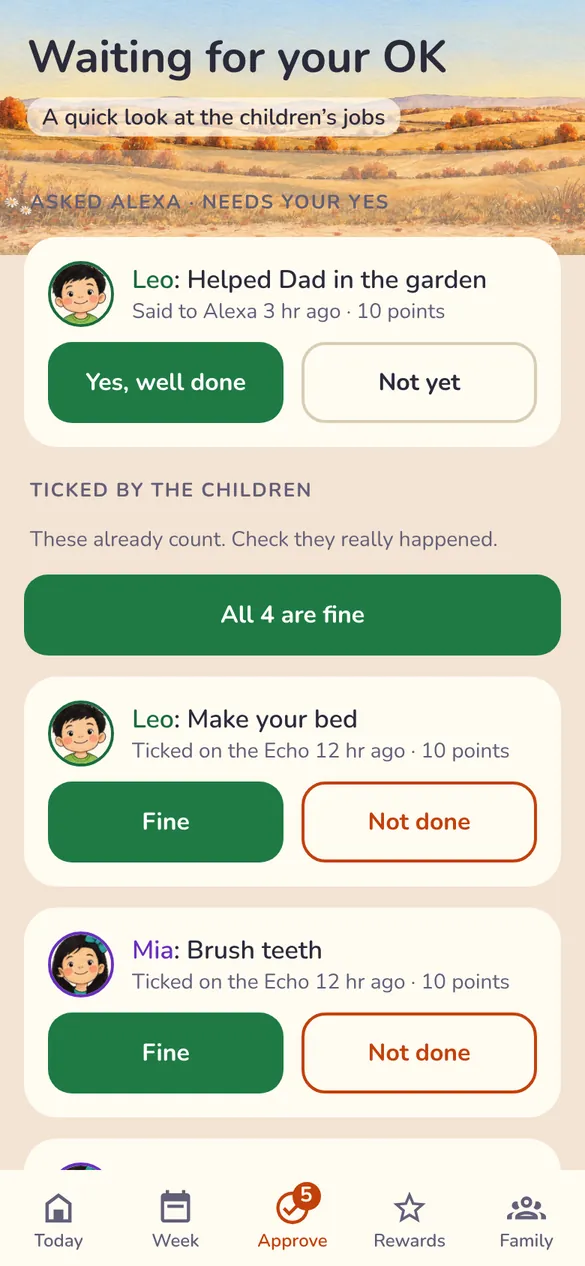
- Children tick their jobs on the Echo: tap the job, or say "Alexa, Leo, task two is done". Those points count straight away.
- When you have a moment, tap Approve and check they really happened. All 4 are fine does them all at once.
- If a child asks Alexa for points, it waits for your Yes, well done.
Show them the pot. Every job adds to the family pot, and the goal bar on the Echo fills up for everyone to see.
Stars and badges
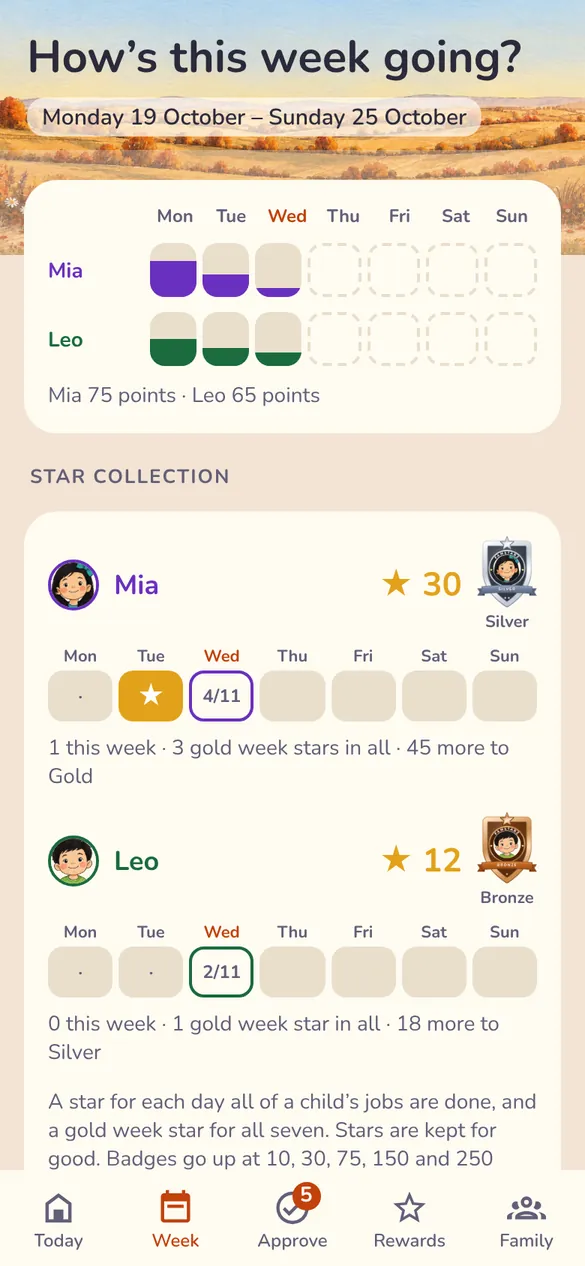
- Each child who finishes all their jobs for the day gets a star at five to midnight.
- Tap Week to see everyone's stars. Tap a child's badge to open their badge page.
- Badges go up at 10, 30, 75, 150 and 250 stars: Bronze, Silver, Gold, Platinum and Diamond. The Echo celebrates each new one.
- Every badge has its own code, so you can share it with Grandma.
A fresh start each year: levels start again every 1 September. Last year's badge stays as a keepsake.
You're all set
Your family is on the screen. Let the children run their own jobs, keep the rewards special, and change anything that doesn't suit you as you go.